FreeConvert vs MConverter: Free Plan Limits
When you need to convert a file to a different format, you probably just look up “free file converter” to see FreeConvert appear on the first page. When faced with the decision to use a potentially unsafe but free website or pay for a subscription, FreeConvert appears to be the perfect combination of safety and accessibility. Or is it?
Is FreeConvert Really Free?#
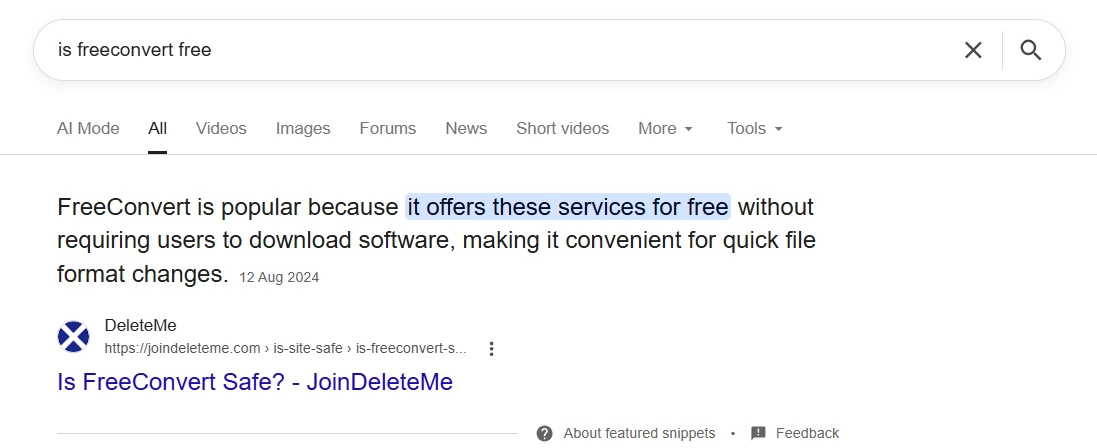
FreeConvert is a commonly used file converter by people who need to occasionally convert a few files and can’t be bothered with subscriptions and creating accounts. If you look up “is FreeConvert free?”, the first article you see confirms that FreeConvert’s popularity comes from the free services that it offers.
However, if FreeConvert really works for free, where does its funding come from to keep it running? Contrary to the name, FreeConvert has a Pricing page which includes 4 paid plans alongside their quite limited free plan. This explains why some of the most common negative reviews they have are from dissatisfied users who have found out that the service is not completely free.
After this discovery, I decided to test and determine the true extent of FreeConvert’s free plan and assess how it ranks compared to other file converters, such as MConverter. To do this, I conducted several test conversions using different formats and file sizes. In this article, you can see screenshots and recordings from them.
Free Daily Limit#
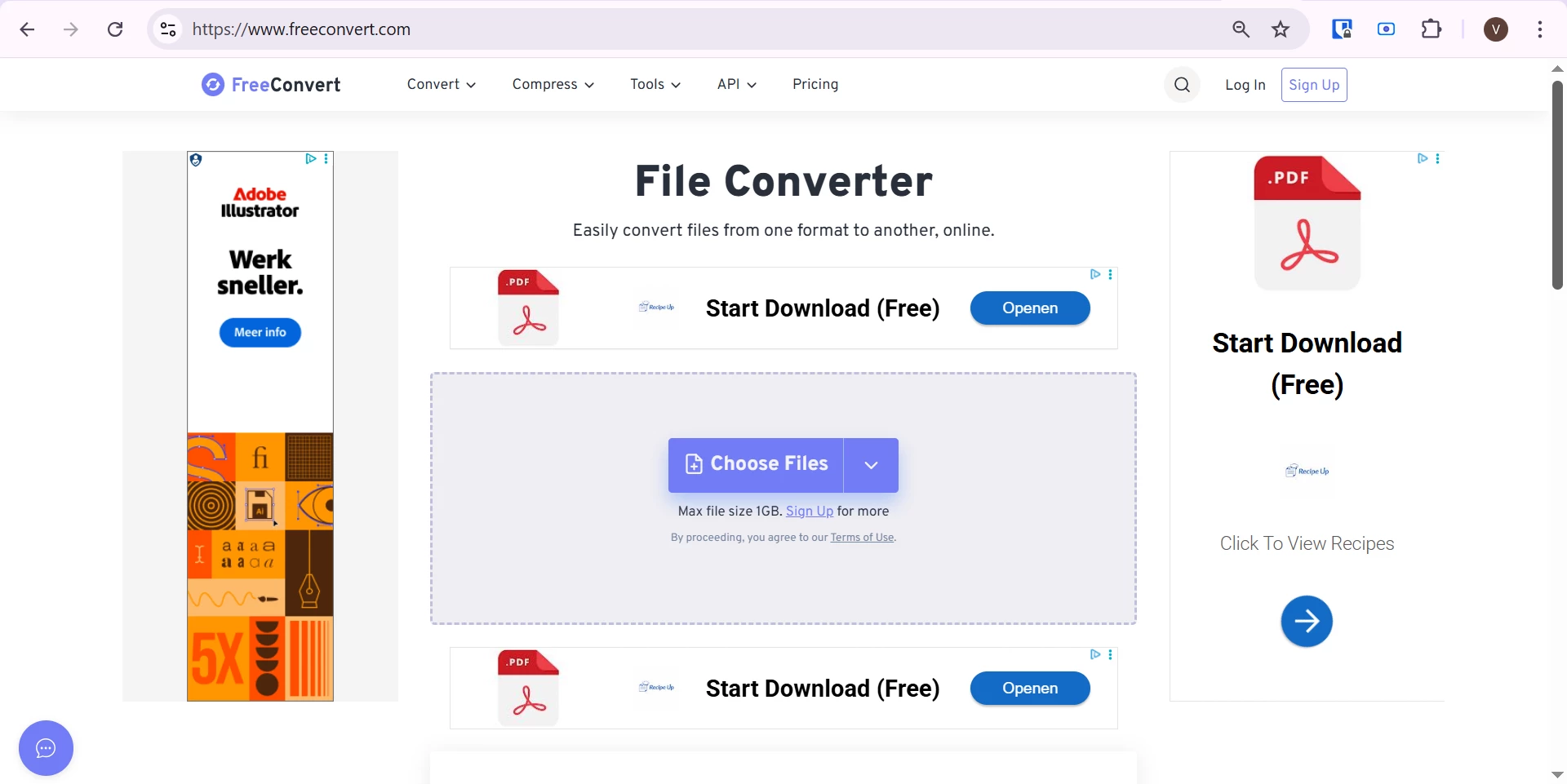
When you open FreeConvert’s front page, you will notice that they never actually call themselves a free file converter. Only the website’s name could lead to this assumption. Downloading your files after the conversion is promoted as free (oh wait, those are actually ads for a different website that blend in a bit too much).
Only after looking it up on their Pricing page did I see that the free daily limit they claim to offer is 20 “conversion minutes”. Bear in mind this is not the same as 20 conversions since, by their definition, a conversion minute measures “how long it takes to convert your files on our servers”, with a limit of 5 conversion minutes per file. So, if it takes more than a minute, it will use up multiple of your minutes.
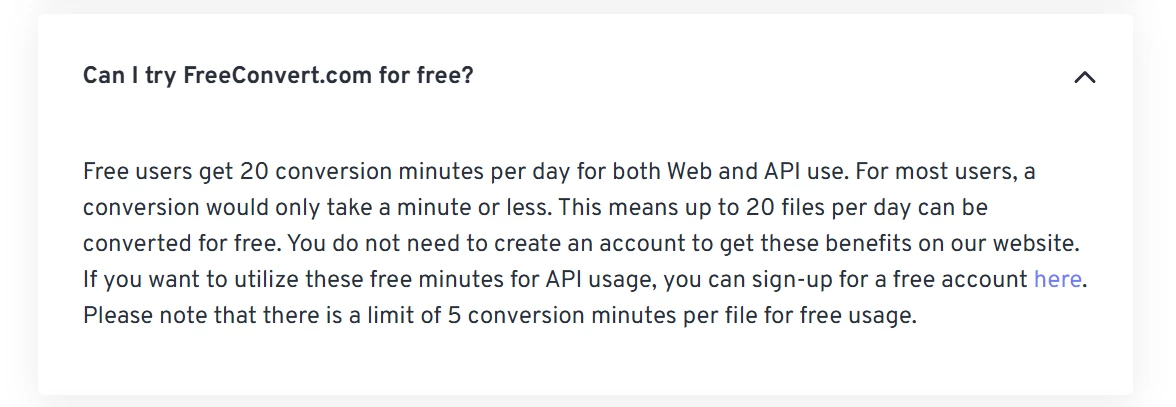
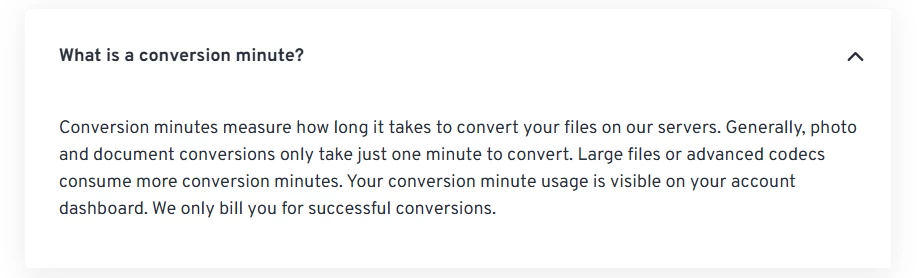 FAQs from FreeConvert
To test the actual limit, I tried to convert 20 files, each only 8 KB, so it should take only a few seconds. Surprisingly, I was only allowed to convert 10 files before running out of free conversions for the day and being requested to upgrade to a paid plan:
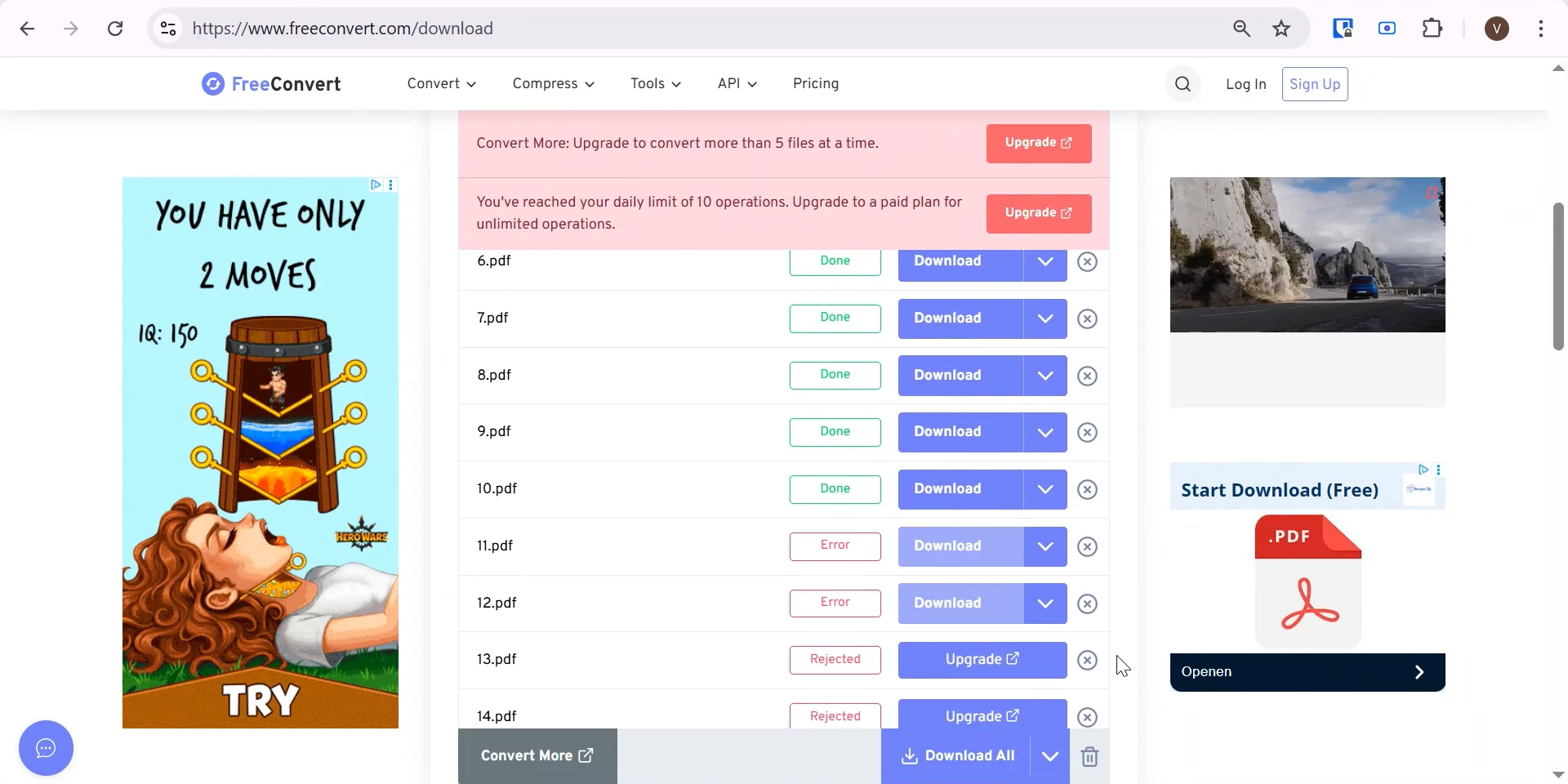
From there, FreeConvert’s true free daily limit only got more confusing. By clicking on the “Unlimited Operations / Day” link on their paid plans on the Pricing page, I discovered that there is actually a third concept at play, in addition to the “file conversion” and “file conversion minutes” limits. It’s called “operations” and even with the 20 free daily conversion minutes, the maximum free daily operations offered by FreeConvert are actually 10. So, in reality, FreeConvert only offers 10 free conversions per day:
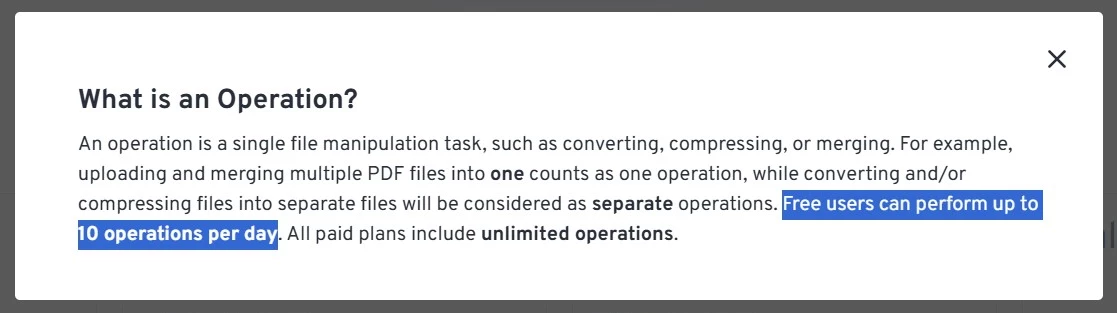 The somewhat hidden explanation of “operations”
Having these different concepts in different areas of their website creates a confusing and potentially misleading perception of FreeConvert’s true free limit. At least they offer a more straightforward description of their free plan when addressing negative reviews from disappointed users:
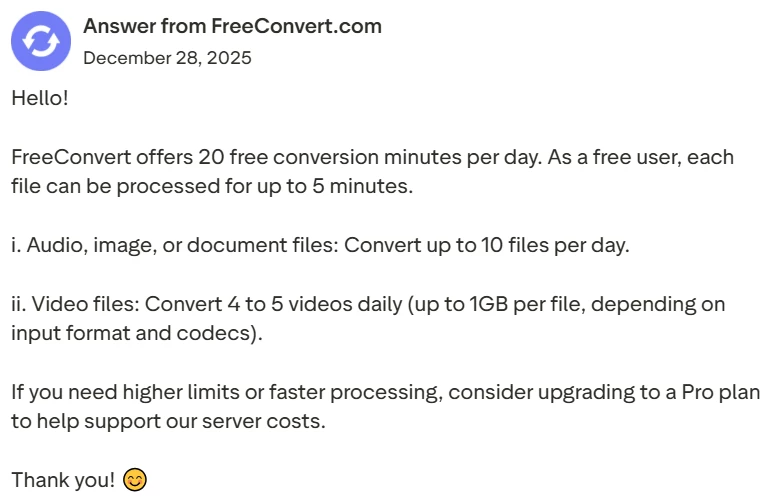
Overall, while 10 is still a decent amount of free conversions, it is probably not what most users expect when opening the website. Luckily, there are several file converters which offer a larger free daily limit, such as MConverter. It provides 15 free conversions per day, no strings attached.
If you’re curious, read more about MConverter’s free plan improvements.
Batch Conversions#
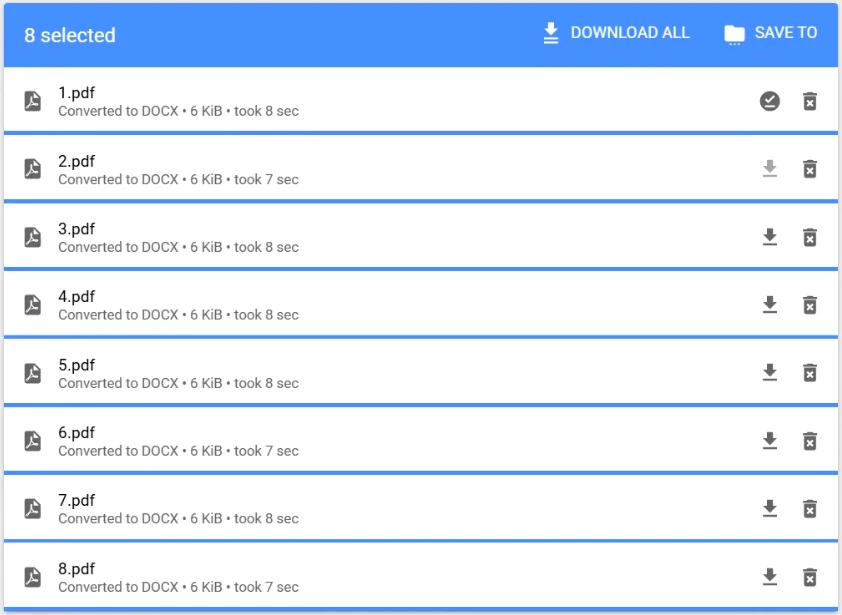
Most people prefer to convert all their files at once, which is why the batch conversion feature is so important. FreeConvert allows you to convert up to 5 files at once, matching the common standard. My test with a batch of 20 files, 8KB each, confirmed that to be true. This is handy since it requires you to start the conversion process only twice before using up the free daily limit of 10 files.

Still, this limit is surpassed by MConverter’s batch conversion limit of up to 8 files. A handy feature, especially when combined with the 15 free daily conversions:
Speed#
Speed is another major consideration for file converters, especially when you need to use them urgently. When I tried batch converting 5 small 8KB files, FreeConvert took about 13 seconds, whereas MConverter took 10 seconds.
However, when I increased the file size to 14MB, the results were different. It is important to mention that the conversion process usually has 2 stages - uploading and conversion, which are most noticeable when working with larger files. FreeConvert needed 1 minute, out of which 52 seconds was the actual conversion. MConverter, on the other hand, took only 36 seconds, out of which 12 seconds were the actual conversion.
Uploads are dependent on my internet speed, so the more objectively comparable part is the conversion processing time. Therefore, MConverter’s free version is much faster for larger files compared to FreeConvert (12 seconds vs 52 seconds, respectively).
Size Limit & Max Conversion Time#
FreeConvert is very upfront about their generous file size limit of 1GB, equal to only a handful of other well-known converters. It is a handy tool for users who need to convert a maximum of 4-5 large files per day. Just keep in mind that heavy conversions tend to take a long time, in my case, 8 minutes 34 seconds (incl. upload time) for 1 file of just below 1GB.
Your request will also be denied if FreeConvert needs more than 5 minutes to convert a certain file, as it happened during my test:
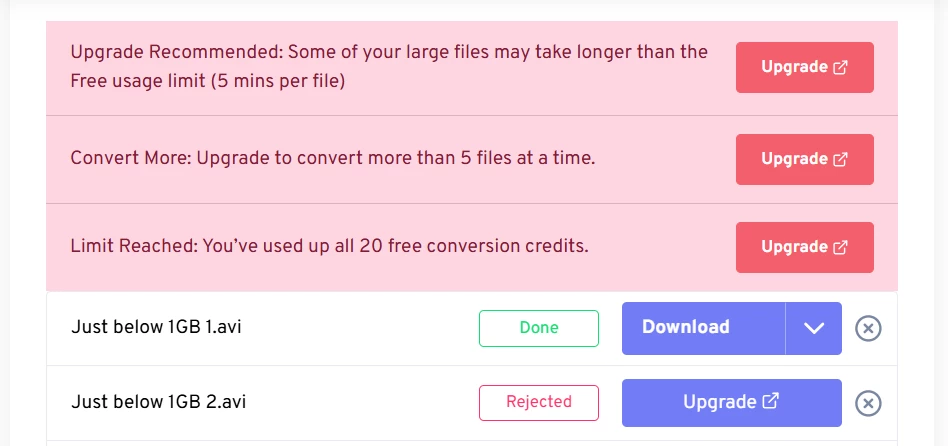 Conversions get stopped after 5 minutes of processing
As large files often take a long time to convert, in reality, the 1GB free limit is not particularly usable. It’s more of a marketing headline than a genuinely usable limit.
While MConverter can process files up to only 100MB for free, it does not have a 5-minute processing time limit. The lack of time restrictions makes it more usable as it will not cancel your conversion while it’s in progress.
Ad Blocking Limitations#
Like most websites with a free plan, FreeConvert shows quite some ads during the file conversion. When I tried opening it with an ad-blocker, I was immediately met by the following full screen message:
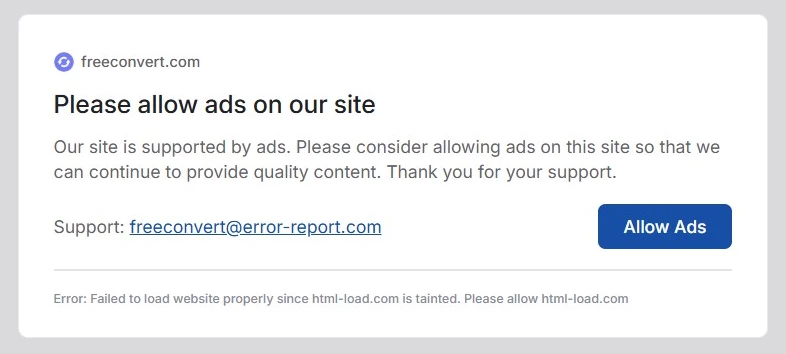
The popup could not be dismissed in any way, except by disabling the ad-blocker. I couldn’t convert even a single file if ads weren’t being shown. And apparently, I was not the only one:
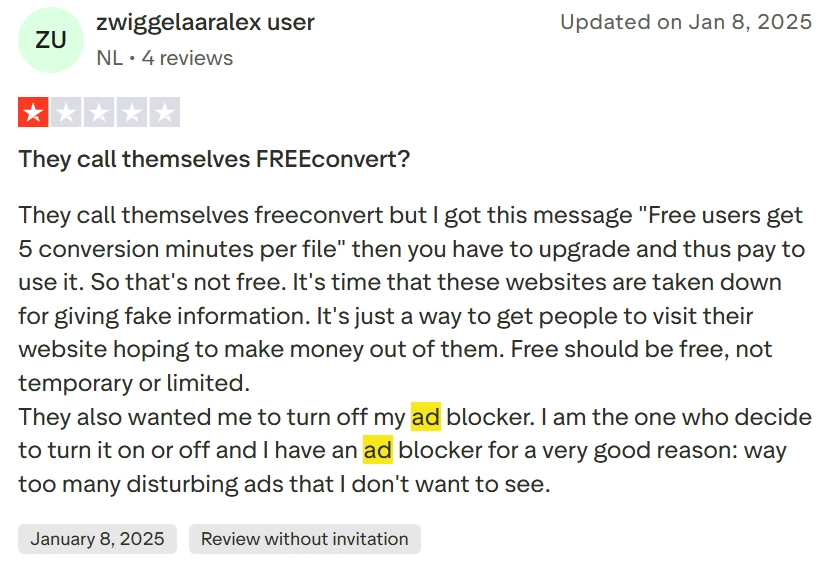
MConverter, on the other hand, does not expect you to disable your ad-blocker in order to convert a couple of files for free. Though, it does show an unobtrusive message further down the page letting you know that an ad-blocker is running and how to allow ads if you decide.
Safety#
Even though they lack an official third-party certification, at first glance, FreeConvert appears to be a secure enough website. They offer SSL/TLS encryption, delete files 8 hours after the conversion is complete and allow users to manually delete their files immediately after converting. I also found no reports or reviews directly describing FreeConvert as unsafe or malicious. Their promises of “compliance with industry standards”, constant monitoring for suspicious behaviour, having a “comprehensive disaster recovery plan”, and their team being “regularly trained on the latest security threats and best practices” seem vague but are satisfactory, unless you need to convert any private or confidential information.
If you need more information to determine whether FreeConvert is a safe choice for you, see our in-depth article about its safety.
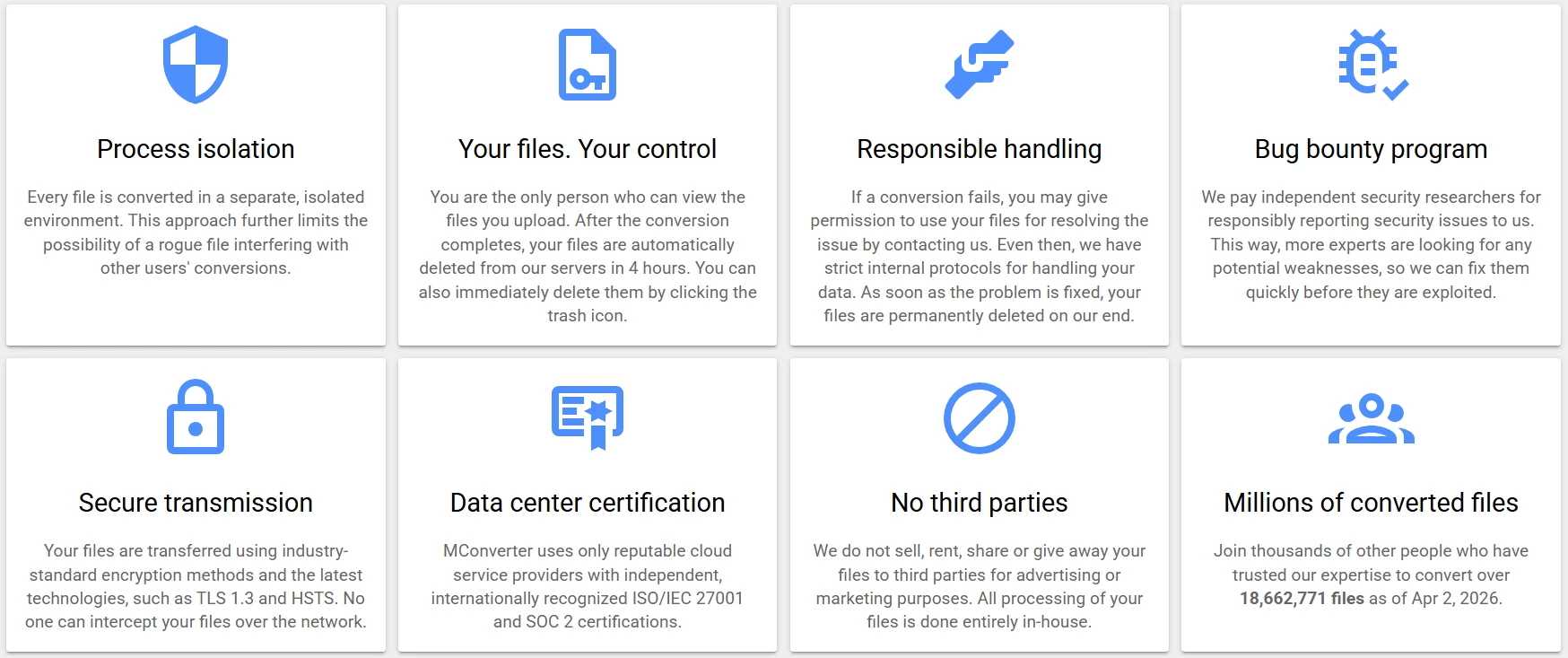
And if you desire higher data safety for your sensitive files, it is better to choose file converters that use certified data centres, as MConverter does:
Subscriptions And Refunds#
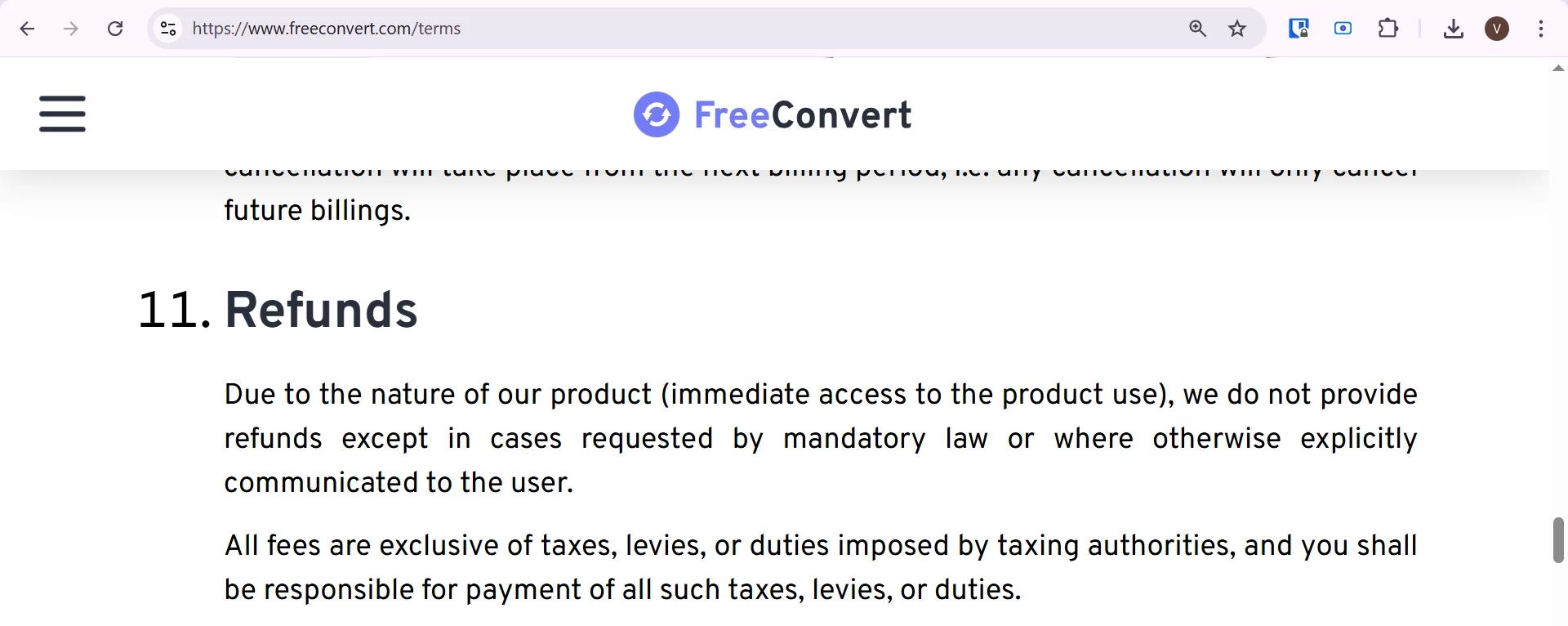
Just like many major file converters, including MConverter, you can use FreeConvert for free without creating an account or filling in any personal information. If you decide to upgrade to one of their paid plans, however, be mindful of FreeConvert’s no-refund policy:
If you prefer to have the option of a refund, you might want to try MConverter, where refunds are possible for all paid plans.
In Short#
The name FreeConvert is not an entirely accurate representation of the price for using their service. They offer 20 free conversion minutes per day that actually amount to only 10 free daily conversions because of the hidden 10-operations-per-day limit. They also only support 5 conversions at a time, which is compensated for by the generous free 1GB file size limit. However, if your file takes more than 5 minutes to convert (which is likely for 1GB videos), then the conversion will be automatically aborted unless you pay.
Overall, FreeConvert is a decent free choice for occasional conversions, especially when you need to upload larger files. But its free tier is more restrictive than the name implies, with limits on daily conversions and per-file processing time. If you need to convert files regularly, process larger batches, or handle more sensitive data, MConverter appears to be the better free option.
Here’s a quick summary of the comparison between FreeConvert and MConverter’s free plans:
| Free Plan on: | FreeConvert | MConverter |
|---|---|---|
| Real Daily Limit | 10 files | 15 files |
| Batch Limit | 5 files | 8 files |
| Speed | Slower | Faster |
| File Size Limit | 1GB | 100MB |
| Processing Time Limit | 5 minutes | 12 hours |
| Ad Blocking | Not allowed at all | Permitted, but shows a notice |
| Safety | Mostly safe | Safe with certified data centres |
| Refunds | No refunds | Refunds offered |
About the author

Vanissia Tzarvenkova
Vanissia has been creating educational content for MConverter since 2025, combining her background in Project and Change Management with a genuine passion for creativity. Through the educational articles and short videos she creates, she empowers users to confidently choose the format that best suits their goals. Her simplified explanations of technical processes help users better understand digital workflows, save time, and focus on more meaningful, high-value work.
Check out more articles
Improvements to document, image, e-book, archive conversions
Conversions to AVI now work better with Windows Media Player