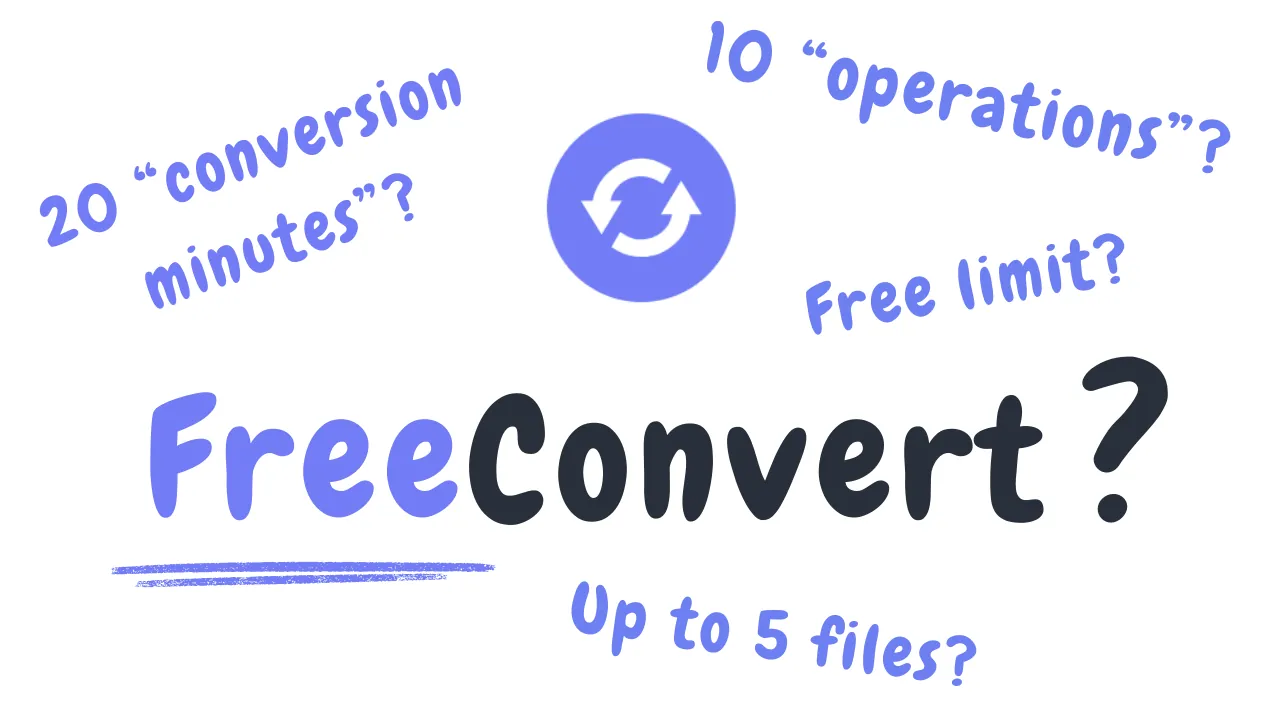
What Is FreeConvert’s Daily Limit in Reality? It’s Not What You Think
Nothing could have prepared me for the maze that was discovering the true free daily limit of FreeConvert. While researching to compare FreeConvert and MConverter’s free plans, a major quality I wanted to examine was the daily limit each of these two converters has. And while it seemed like “20 files per day” was the straightforward answer provided by FreeConvert’s pricing page, I can assure you it is not and that my actual tests of the website showed different results.
Conversion Minutes vs Files vs Operations#
On their Pricing page is where you can find a definition of the free daily limit they claim to offer: 20 “conversion minutes”. But what does that mean? By FreeConvert’s definition, a conversion minute measures “how long it takes to convert your files on our servers”, with a limit of 5 conversion minutes per file. Therefore, the file size can bring down the number of files you can convert per day. But that is just the beginning…
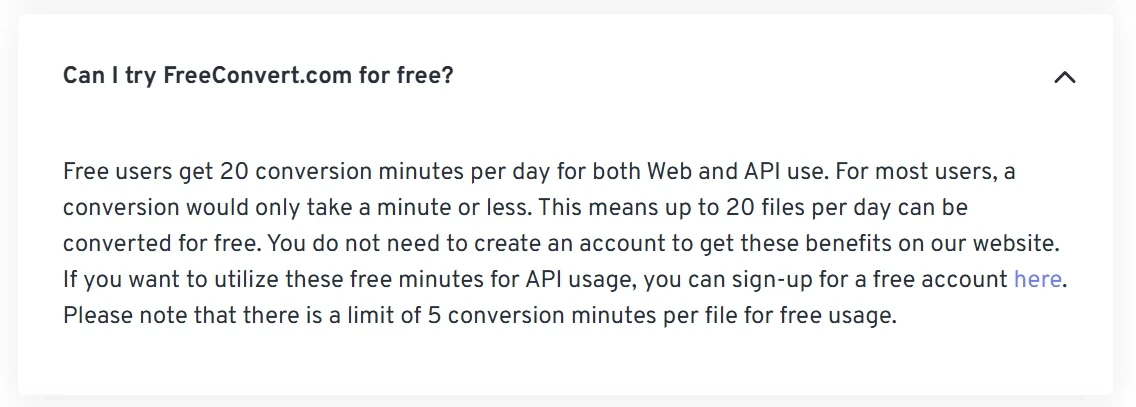
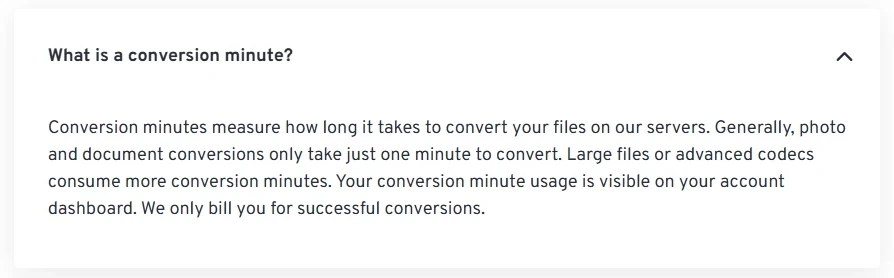 FAQs from FreeConvert
To test this claim, I tried to convert 20 small files, so that each would take only a few seconds. Surprisingly, I was only allowed to convert 10 files before running out of free conversions for the day and being forced to upgrade to a paid plan:

From there, FreeConvert’s true free daily limit only got more confusing. The error message mentioned a limit of 10 operations per day. Operations?! What are those?
Well, the “Unlimited Operations / Day” link, found in the paid plans on the Pricing page, shows that there is actually a third concept at play! In addition to the “file conversion” and “file conversion minutes” limits, there are also “operations”. Even with the 20 free daily conversion minutes, the maximum free daily operations offered by FreeConvert are actually 10. So, in reality, FreeConvert only offers up to 10 free file conversions per day:
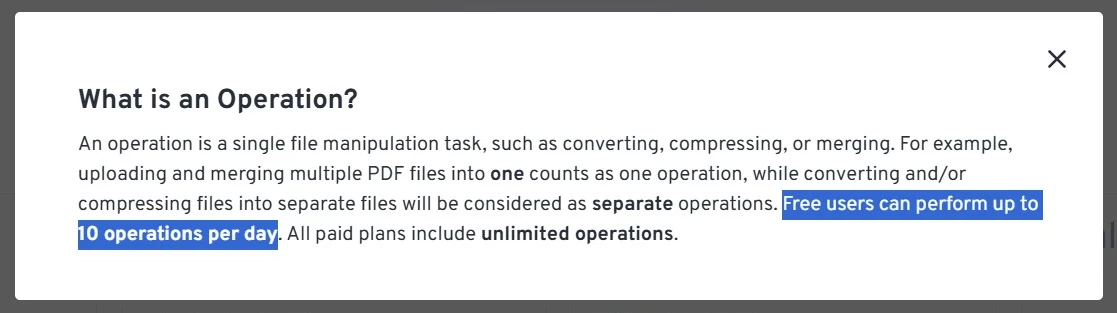 The somewhat hidden explanation of “operations”
Conversion Time Limit#
But the saga is not yet over. As I mentioned earlier, file size also affects the number of free daily conversions users have. FreeConvert is very upfront about their generous file size limit of 1GB, offered by only a handful of other well-known converters. Unfortunately, when it comes to larger files, the free conversion limit can drop from 10 to 4-5 files per day. Naturally, heavy conversions tend to take a long time, in my case, 8 minutes 34 seconds (including upload time), for 1 file of just below 1GB:
With FreeConvert, your conversion request will also be rejected if their website needs more than 5 minutes to convert a certain file, as it happened during my test:
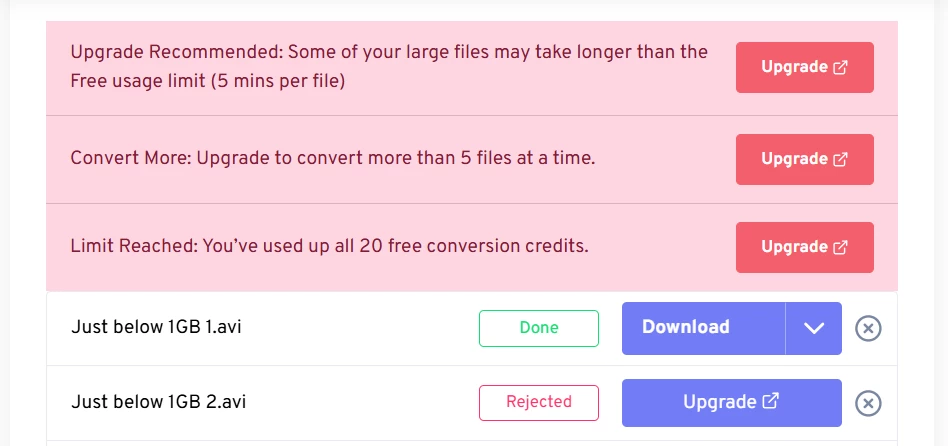 Conversions get stopped after 5 minutes of processing
Summary#
FreeConvert only offers up to 10 free file conversions per day because of a somewhat hidden limit called “operations per day”. Larger files, taking more than a minute to process, may further decrease the 10-file limit to 4 files.
About the author

Vanissia Tzarvenkova
Vanissia has been creating educational content for MConverter since 2025, combining her background in Project and Change Management with a genuine passion for creativity. Through the educational articles and short videos she creates, she empowers users to confidently choose the format that best suits their goals. Her simplified explanations of technical processes help users better understand digital workflows, save time, and focus on more meaningful, high-value work.
Check out more articles
Improvements to document, image, e-book, archive conversions
Conversions to AVI now work better with Windows Media Player