At MConverter, we have made it easy for you to cancel your subscription. We do not make it purposefully difficult by having you call a phone number and wait, nor do we charge early cancellation fees.
To stop your subscription from auto-renewing (i.e. to cancel it), follow these steps:
Go to My Account after signing in with the account you used to subscribe to MConverter Premium, Plus, Pro, or Max.
On desktop, click on the account icon at the top right corner.
On mobile, tap on MENU > MY ACCOUNT or SIGN IN.
Click on the MANAGE SUBSCRIPTION button.
It may also be called MANAGE PAYMENTS.
Click on Cancel subscription in the popup window that opens.
If you've had multiple subscriptions, you may first need to click on the one which is currently active.
After cancelling, your paid plan benefits will remain active for the rest of the current billing period.
We are sorry to see you go. If you have any questions, we're always here to help: contact us.
I can't see any active subscriptions, but I'm still getting charged. Why?#
You may have used a different email address when signing up. Please try logging in with any other email accounts you have and look for the MANAGE SUBSCRIPTION button.
Also, make sure the charge on your bank statement includes "MCONVERTER" in the description — this means it's from our service. Please note that charges made through PayPal will appear as "PAYPAL *PADDLE.NET" instead.
If these tips don't help, contact us and mention your name, the date(s) you were charged, and the last 4 digits of your card. This way, we will be able to find and cancel your subscription.
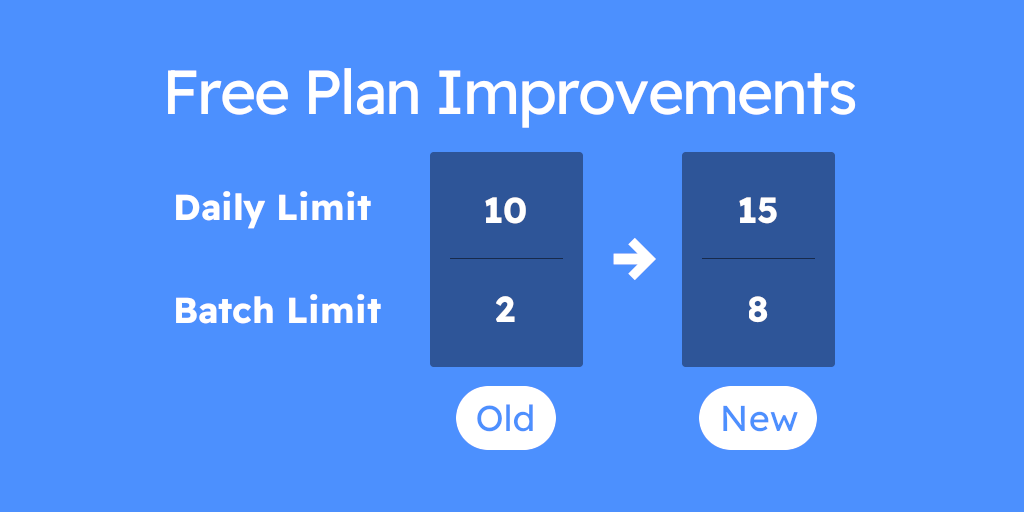
Frustrated by conversion limits? With MConverter’s new Free Plan, you can convert more files than before. We’ve increased both the daily and batch limits, so you can get more done for completely free.